Consume an API Secured with OAuth2
Prerequisites
Before proceeding, ensure you have Created an Application and Subscribed to an API to consume.
Generate keys
API Platform uses OAuth 2.0 bearer token-based authentication for API access. An API access token is a string passed as an HTTP header in API requests to authenticate access.
Once you create an application, you can generate credentials for it. API Platform provides a consumer key and consumer secret when you generate credentials for the first time. The consumer key acts as the unique identifier for the application and is used for authentication.
To generate an access token for testing purposes, follow these steps:
-
Navigate to the API Platform Developer Portal and sign in.
-
Click on Applications in the Developer Portal sidebar.
-
Click on the application for which you want to generate keys and tokens.
-
In the Application detail banner, click Manage Keys. This opens the Manage Keys page.
-
On the Manage Keys page, select either the Production or Sandbox tab based on your requirement.
Info
Sandbox keys can only be used in the sandbox environment.
-
Click Generate and wait for the keys to be generated. This will generate the consumer key and consumer secret with default configurations. Once the keys are generated, close the dialog.
-
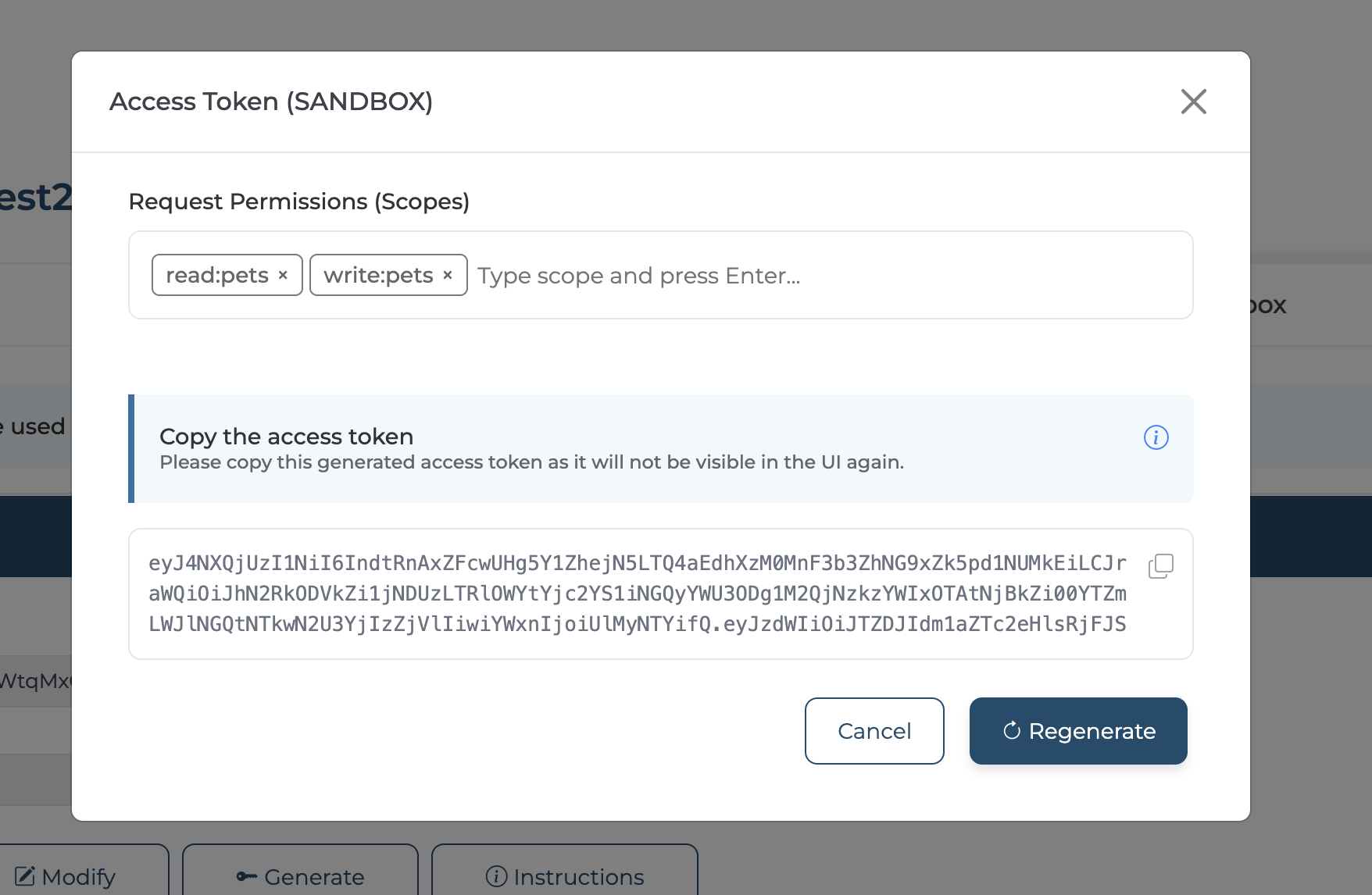
Click Generate to generate an access token. You can add scopes through the Request Permission section in the Access Token dialog.
Info
Currently, API Platform does not support configuring allowed scopes at the application level.
-
Copy the displayed access token.
You can use the View and Modify buttons to inspect and customize the default key generation settings.
Alternatively, click Instructions to view details about the token endpoint. You can either copy the generated cURL command to obtain a test token using a cURL client, or use the consumer key and consumer secret to generate an API access token by invoking the token endpoint. You can also revoke the access token by invoking the revoke endpoint.
Consume an API
Use this generated access token to authenticate API requests by including it in the Bearer header when invoking the API.
Example:
curl -H "Authorization: Bearer <YOUR_ACCESS_TOKEN>" -X GET "https://my-sample-api.bijiraapis.dev/greet"
Note
The name of the Authorization header may vary depending on the API provider’s configuration. Always refer to the API’s Swagger (OpenAPI) definition for the correct header format.