Creating an API Proxy from Marketplace
API Platform provides built-in support for multiple well-known third-party APIs through the API Platform Marketplace. The marketplace contains API contracts for these third-party services, allowing you to create and publish API proxies effortlessly.
Steps to Create an API Proxy from the Marketplace
Follow these steps to create an API proxy for a third-party API available in the API Platform Marketplace:
1. Access the API Platform Console
- Sign in to the API Platform Console and select your project.
2. Select a Third-Party API
- Click +Create.
- Navigate to Create an API Proxy for Third-Party APIs (Egress) and click Get From Marketplace.
- In the Create API Proxy from Marketplace page, browse or search for the desired third-party API.
- Select the API you want to integrate.
3. Configure API Proxy Details
- Update the required API proxy details, such as:
- API Name
- Identifier
- Version
- Target
-
Review and confirm the configuration settings.
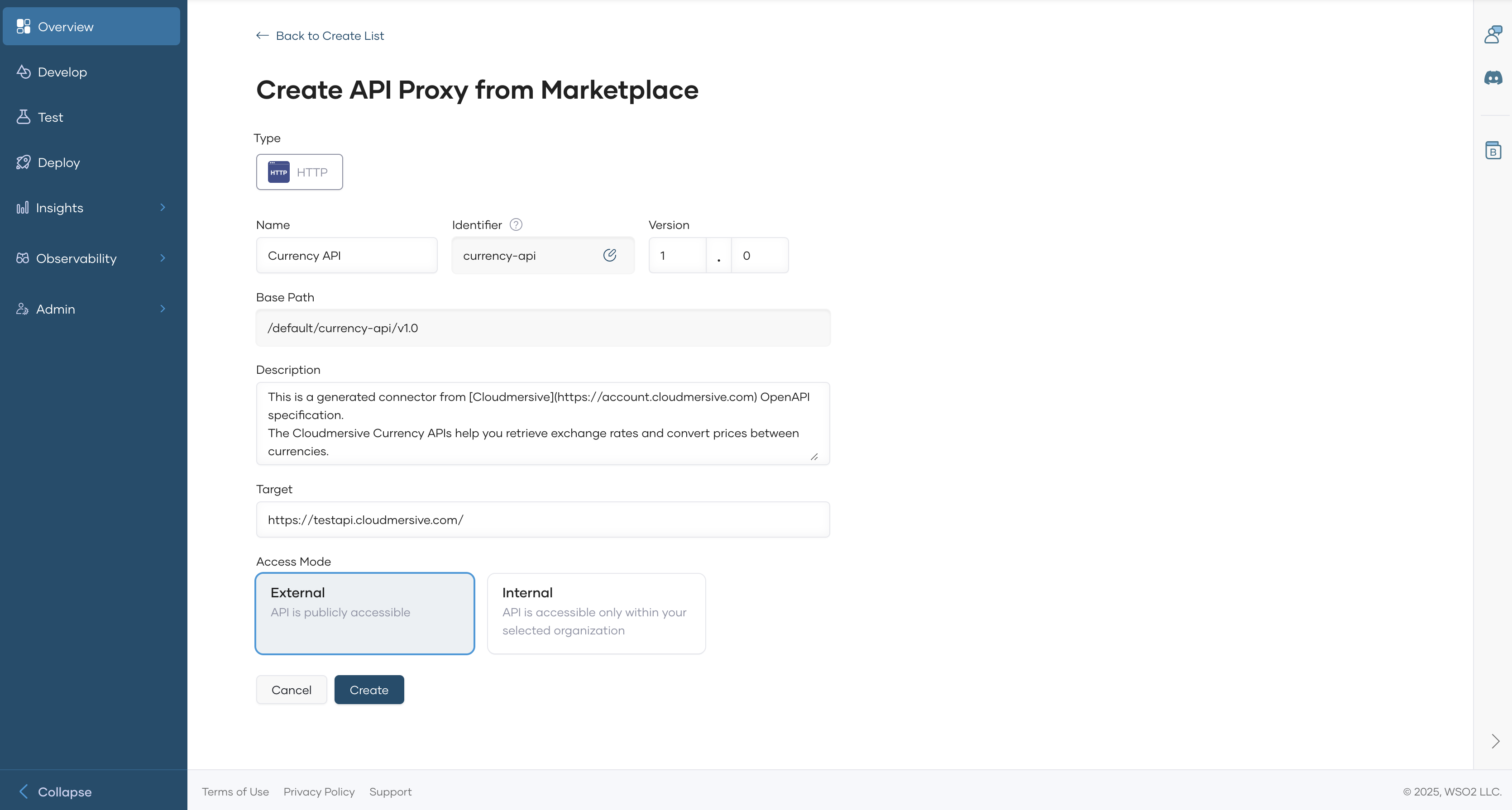
-
Click Create to finalize the API proxy creation.
Once created, the overview page of the new API proxy appears.
4. Configure Backend Settings
- In the left navigation menu, click Develop, then select Policy.
- Depending on the third-party API requirements, configure Endpoint Configurations or set up an API-level mediation policy to handle authentication and authorization.
Example: Configuring the Currency API
To integrate the Currency API, follow these steps:
- In the Policy page, click Endpoint Configuration under Service Contract.
- Click Configure.
-
Enter the required authentication details:
- API Key Header
- API Key
-
Click Save to apply the configuration.
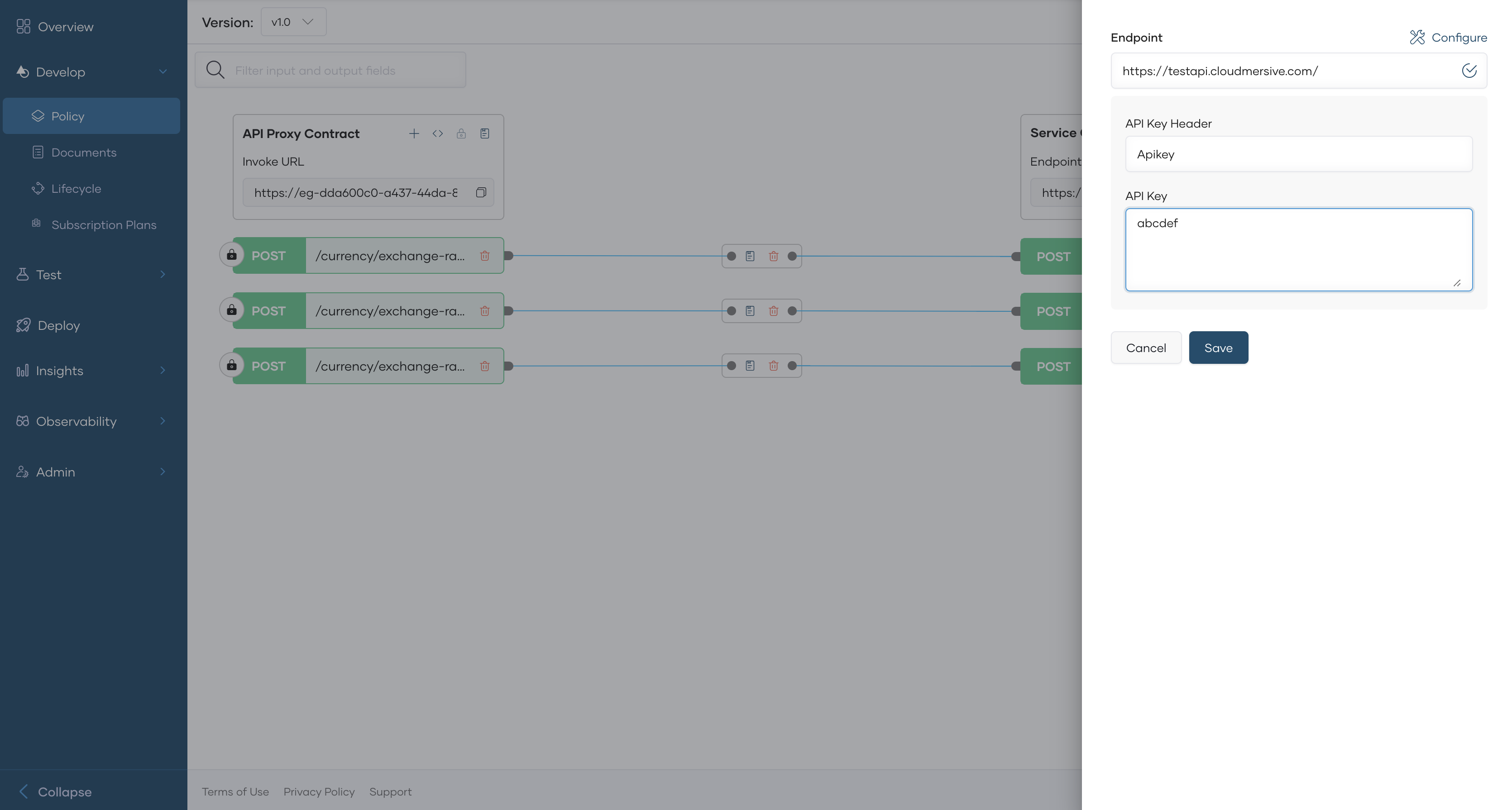
Next Steps
- Test the API proxy to ensure it correctly forwards requests to the third-party API. See Test REST Endpoints via the OpenAPI Console.
- Apply additional policies if needed (e.g., rate limiting, security policies). See Policy Overview.
- Publish the API for consumers. See Lifecycle Management.
By following these steps, you can seamlessly integrate third-party APIs into your API Platform environment and manage them efficiently.