Assign Subscription Plans to APIs
API subscription plans allow API publishers to control and manage access to APIs. These plans define the rules and limitations on how clients can interact with APIs, ensuring efficient resource utilization and robust security.
API Platform allows users with the administrator role to create, update, and delete subscription plans at the organization level. For instructions on creating subscription plans, see Create API Subscription Plans.
Once created, API Platform allows API publishers to assign subscription plans to APIs, providing different levels of access based on user needs.
To assign subscription plans to an API, follow the steps given below:
- Sign in to the API Platform Console.
- Select the project and the API which you want to assign subscription plans.
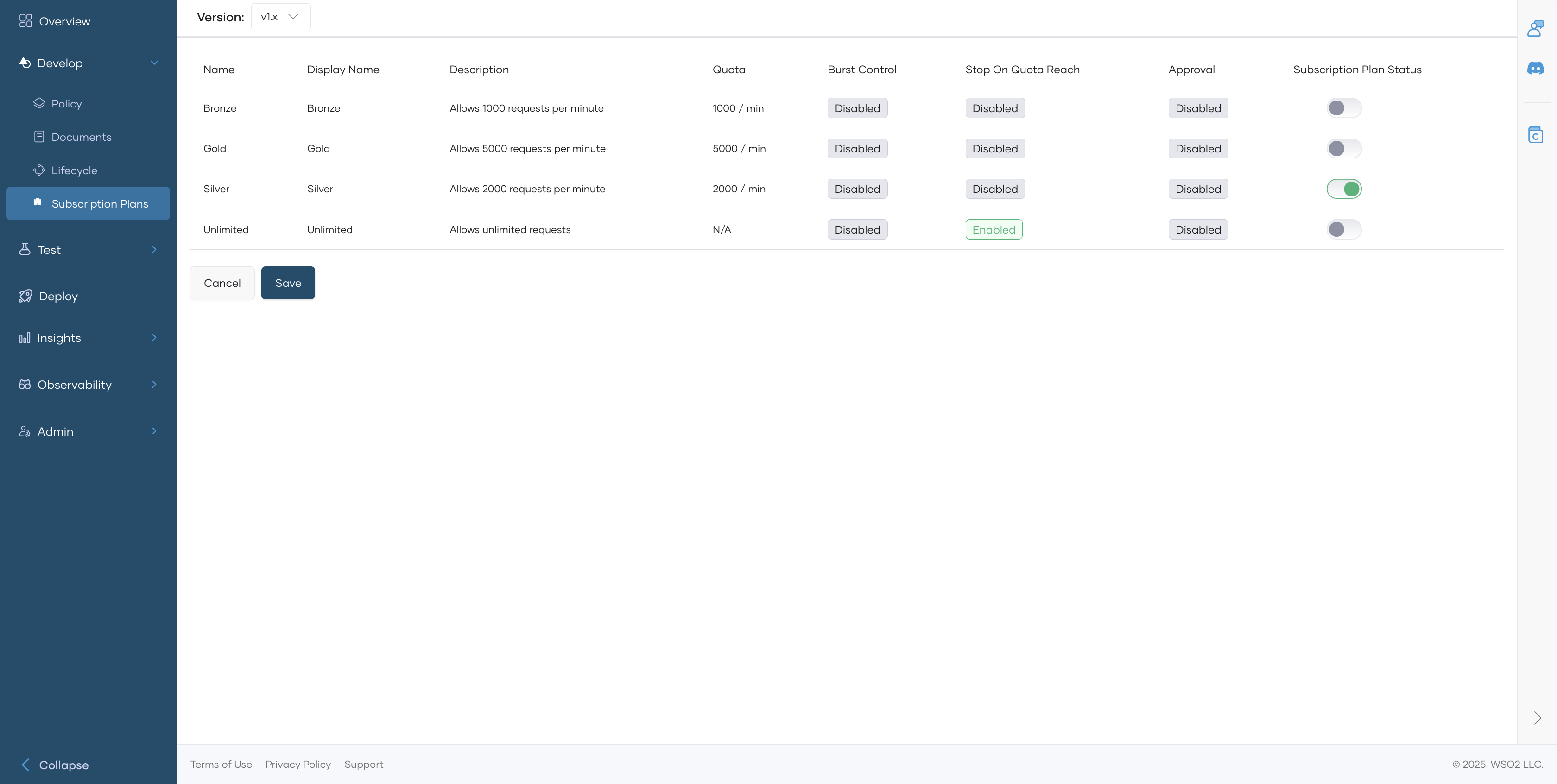
- In the left navigation menu, click Develop and then click Subscription Plans. This displays the subscription plans available for the component.
-
Enable the Subscription Plan Status toggle corresponding to the subscription plans you want to assign to the API.
-
Click Save.
When an API has subscription plans assigned to it, API consumers can select the plan that best fits their requirements during the subscription process.