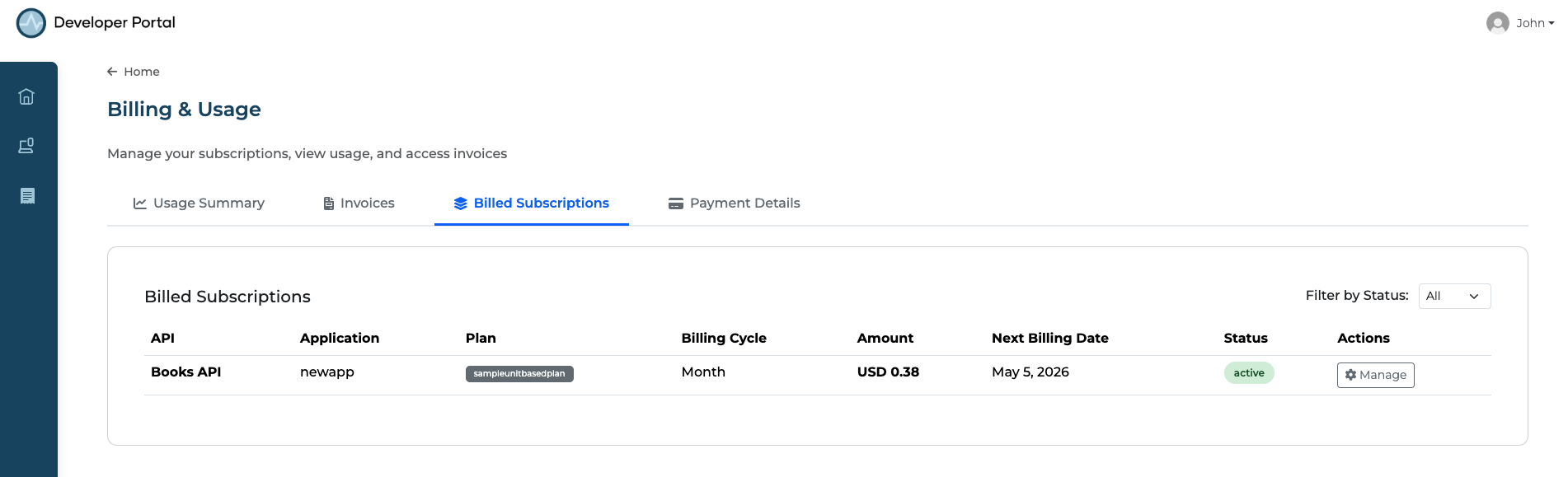
View Billing and Usage
The Developer Portal provides a consolidated Billing & Usage view where API consumers can monitor usage, review invoices, and manage their paid subscriptions across all subscribed APIs.
Access the Billing Page
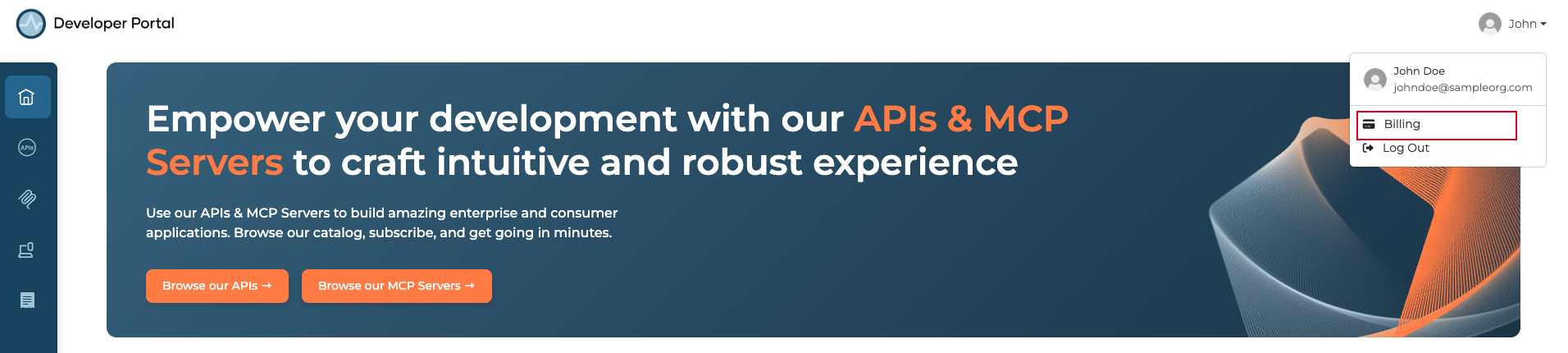
- Go to the API Platform Developer Portal and sign in to your organization.
- Click your profile icon in the top right corner.
-
Click Billing from the profile menu.
Usage Summary
The Usage Summary tab displays an API Usage Overview for a selected period (e.g., Current Month). This includes:
- Total Billed API Calls across all your paid subscriptions.
- Active Subscriptions count.
- Estimated Cost for the current billing period.
-
A breakdown table showing usage per API, application, plan, request count, billing type, and cost.
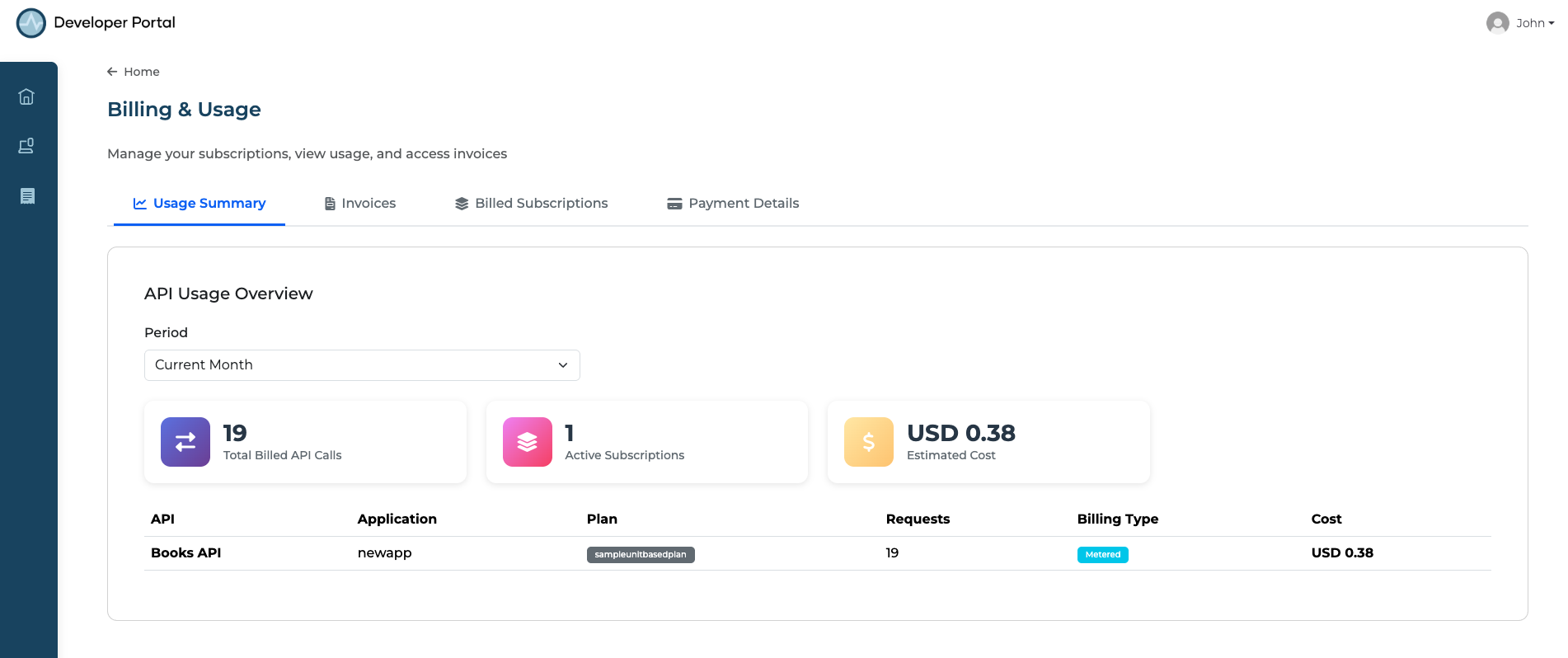
Use this view to track your consumption patterns and anticipate upcoming charges before the billing period closes.
Invoices
The Invoices tab shows your Invoice History, listing all invoices generated for your paid subscriptions. For each invoice you can view the invoice number, date, amount, and payment status, and download the invoice receipt for your records. Use the Period filter to view invoices for a specific timeframe, or click Download All to export all invoices at once.
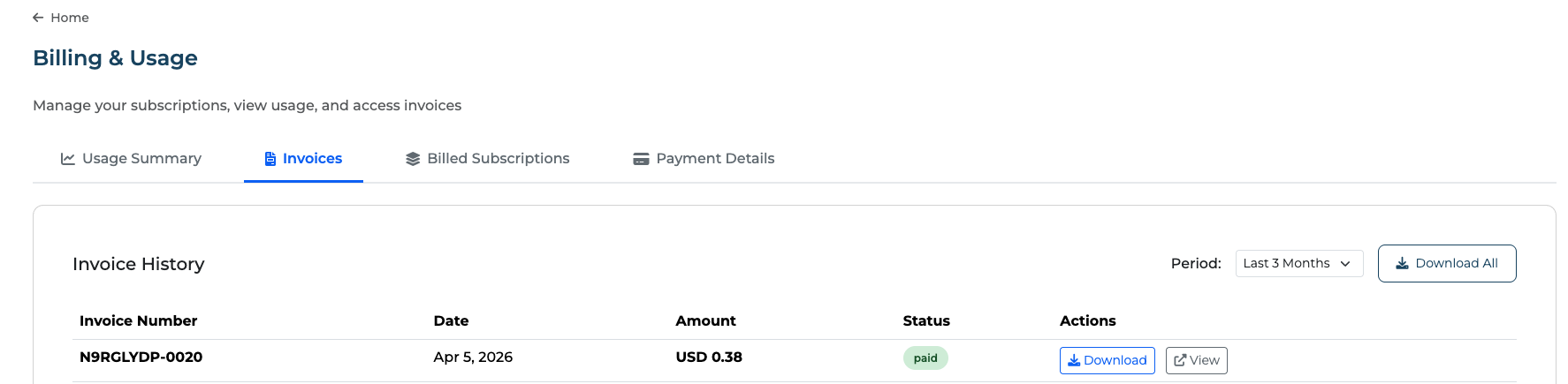
Invoices are generated and issued by Stripe based on your subscription's billing cycle.
Billed Subscriptions
The Billed Subscriptions tab shows all paid subscriptions associated with your account. For each subscription you can see the API, application, plan, billing cycle, amount, next billing date, and status. Use the Filter by Status dropdown to narrow the list, and click Manage to update or cancel a subscription.