Subscribe to a Paid Plan
API consumers can browse monetized APIs on the Developer Portal and subscribe to a paid subscription plan using a secure Stripe-powered checkout. Once the payment is successful, the application is subscribed to the API and can be used to invoke it.
Prerequisites
Before you begin, ensure you have:
- Access to the Developer Portal for your organization
- A valid payment method
Subscribe to an API with a Paid Plan
- Go to the API Platform Developer Portal and sign in to your organization.
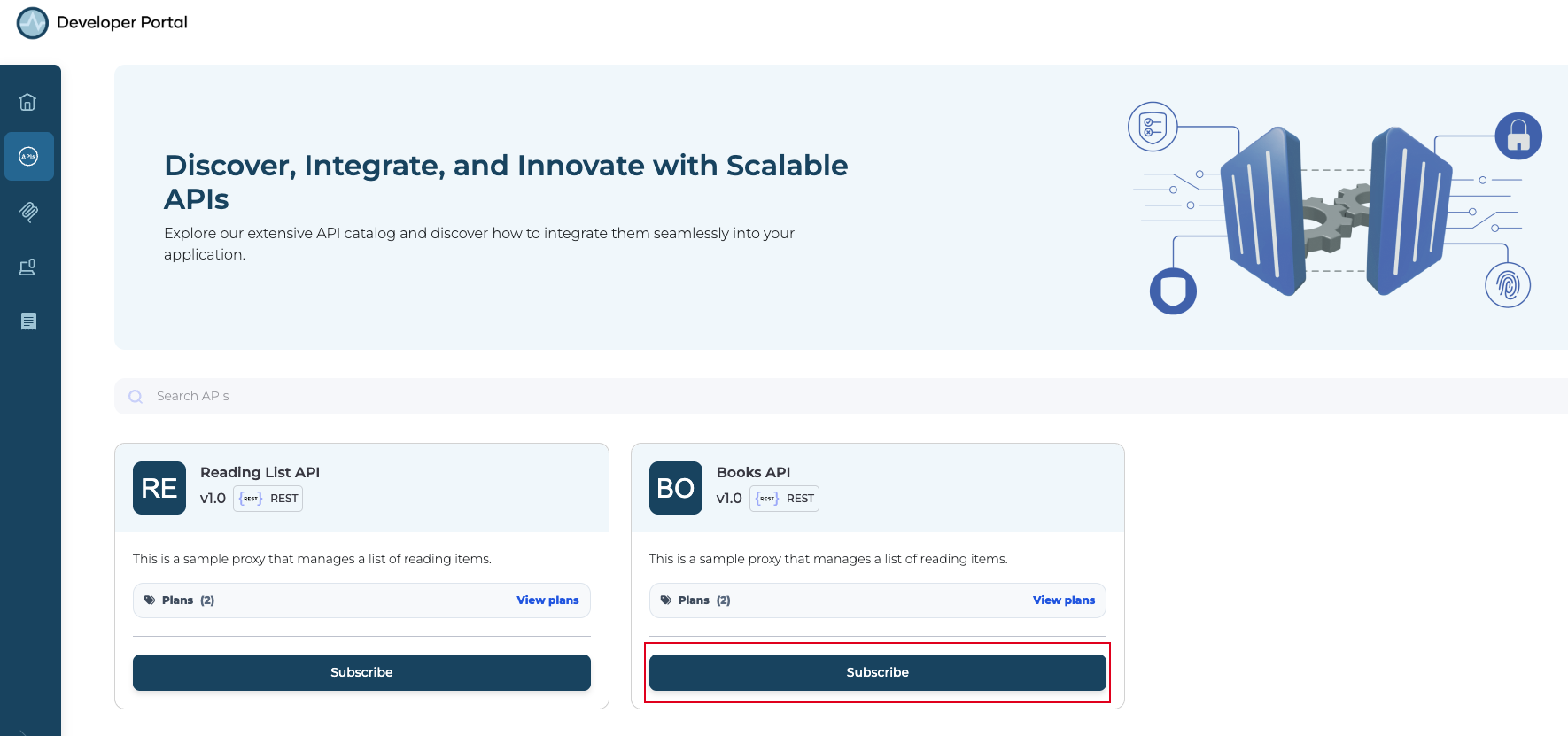
- In the Developer Portal sidebar, click APIs to open the API listing page.
-
Locate the API you want to subscribe to and click Subscribe on the API card.
-
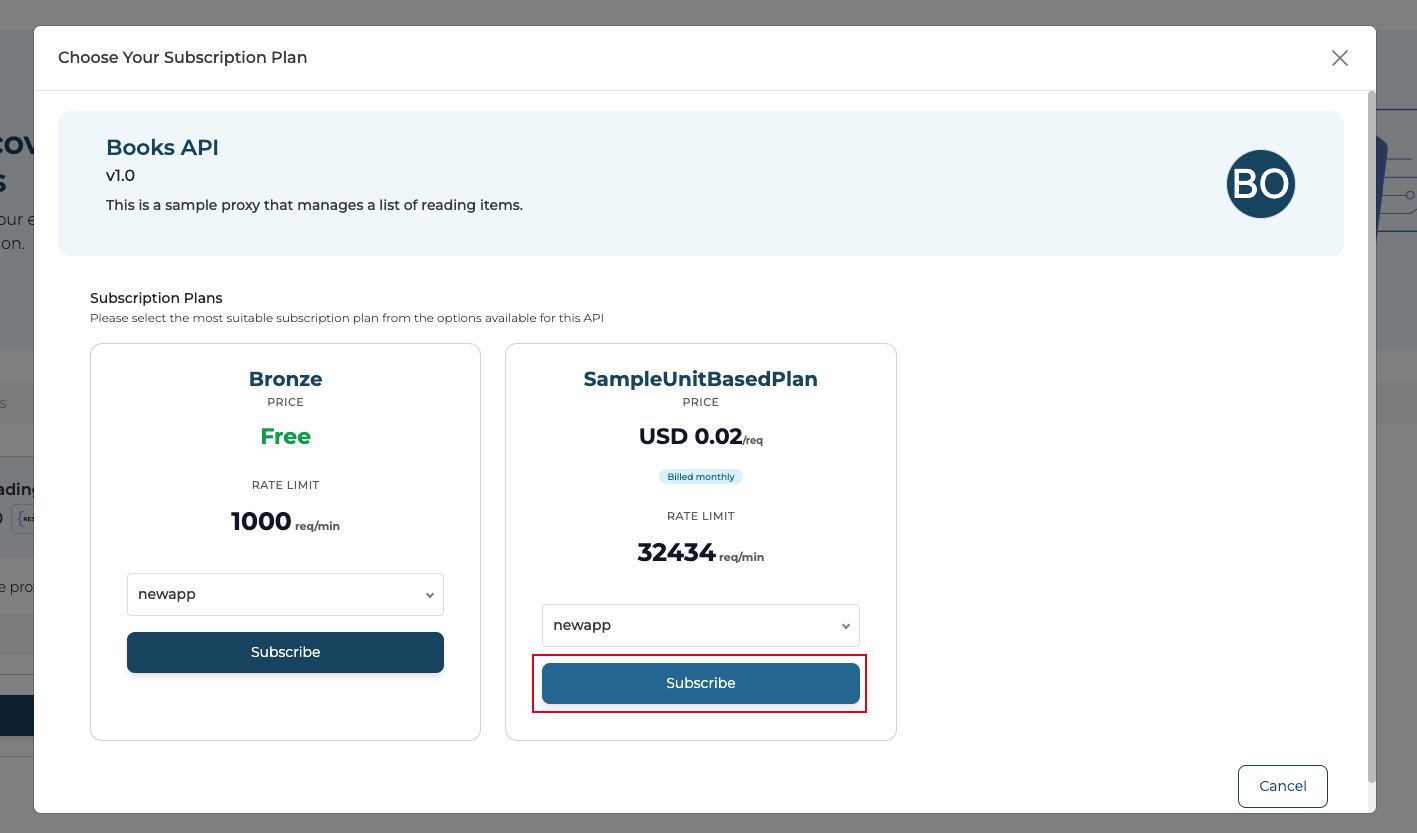
In the Choose Your Subscription Plan dialog, review the available plans. Select the application you want to subscribe with from the dropdown, and click Subscribe on the paid plan that fits your requirements.
-
A secure Stripe checkout window opens. Enter your payment details and complete the payment.
Note
Payments are processed by Stripe. API Platform does not store your payment details. Billing and receipts are managed through Stripe.
-
Once the payment is successful, the application is subscribed to the API under the selected paid plan.
Invoke the API
After subscribing, generate application keys and invoke the API using the credentials. For detailed instructions, see: