Getting Started with API Monetization
To enable API monetization, you need to connect your Stripe account to API Platform. Once connected, API Platform creates Stripe products, prices, customers, and subscriptions on your behalf, and reports usage to Stripe for billing.
Prerequisites
Before you begin, ensure you have:
- An active Stripe account
- Admin access to your API Platform organization
-
Your Stripe Publishable Key and a Secret Key (available in the Stripe Dashboard under Developers > API Keys. For more details, see the Stripe API keys documentation).
You can use either of the following options for the secret key:
- A Standard secret key, which has full access to your Stripe account, or
-
A Restricted secret key, which scopes access to only the permissions you grant. If you choose this option, make sure the key is granted the permissions listed below.
Permissions for Restricted Secret Keys
Grant the following minimum permissions when creating the restricted secret key in the Stripe Dashboard:
Permission Purpose customer_readRead customer details. customer_writeCreate customers and customer balance transactions. checkout_session_readRead checkout session details. checkout_session_writeCreate checkout sessions. subscription_readRead subscription details. subscription_writeCancel subscriptions. invoice_readRead invoices and upcoming invoice previews. portal_session_writeCreate Stripe Customer Portal sessions. payment_method_readRead saved payment methods. payment_method_writeDetach saved payment methods. plan_readRead plans and prices. plan_writeCreate plans and prices. product_readRead products. product_writeCreate products. usage_record_readRead usage records. usage_record_writeWrite usage records. billing_meter_readRead billing meters. billing_meter_writeWrite billing meters. billing_meter_event_readRead billing meter events. billing_meter_event_writeWrite billing meter events. billing_meter_event_adjustment_readRead billing meter event adjustments. billing_meter_event_adjustment_writeWrite billing meter event adjustments.
Add Stripe Credentials
- Sign in to the API Platform Console.
- In the API Platform Console header, go to the Organization list and select your organization.
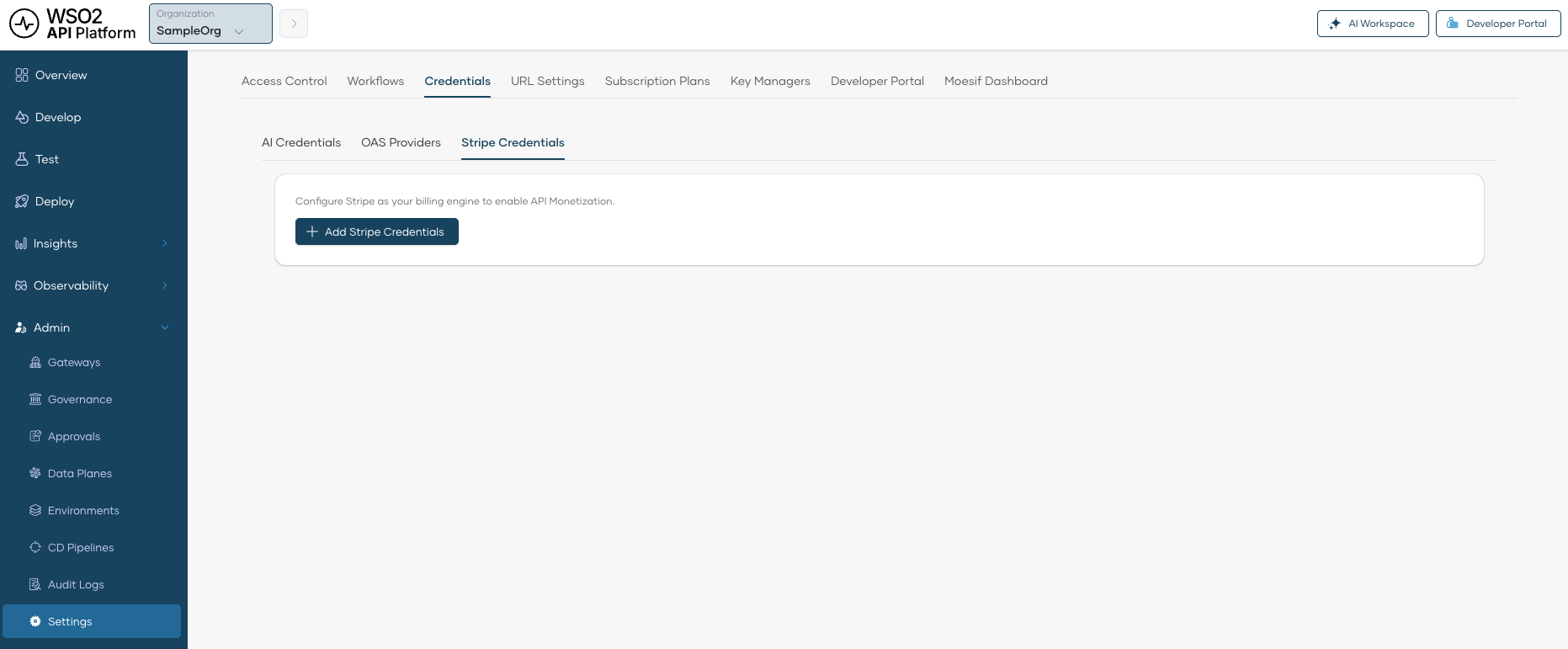
- In the left navigation menu, click Admin and then click Settings. This opens the organization-level settings page.
- Click the Credentials tab.
-
Click the Stripe Credentials sub-tab.
-
Click Add Stripe Credentials.
-
Enter the following details:
- Secret Key: The secret key from your Stripe account.
- Publishable Key: The publishable key from your Stripe account.
-
Click Save.
Once saved, API Platform is connected to your Stripe account and you can start monetizing your APIs.