AI-Assisted SDK Generation
AI-assisted SDK generation creates custom SDKs and sample application code based on your selected APIs. Instead of manually integrating multiple SDKs, you generate a single SDK with working code examples tailored to your specific requirements.
What is AI-assisted SDK Generation?
Building applications with multiple APIs typically requires you to:
- Download and manage multiple SDKs
- Understand how the APIs work together
- Write integration code from scratch
AI-assisted SDK generation streamlines this process by:
- Createing a single SDK from your selected APIs
- Generating application code based on your use case
- Providing you a ready starting point for development
This lets you focus on business logic rather than setup and integration.
Prerequisites
Before proceeding, ensure you have Created an Application and Subscribed to an API to generate an SDK.
Tip
Subscribe to multiple APIs to create more comprehensive SDKs.
Generate an SDK
Follow these steps to generate a custom SDK and sample application code.
Step 1: Select APIs for SDK Generation
- Navigate to the API Platform Developer Portal and sign in.
- Click on Applications in the Developer Portal sidebar.
- Click on the application for which you want to generate the custom SDK.
-
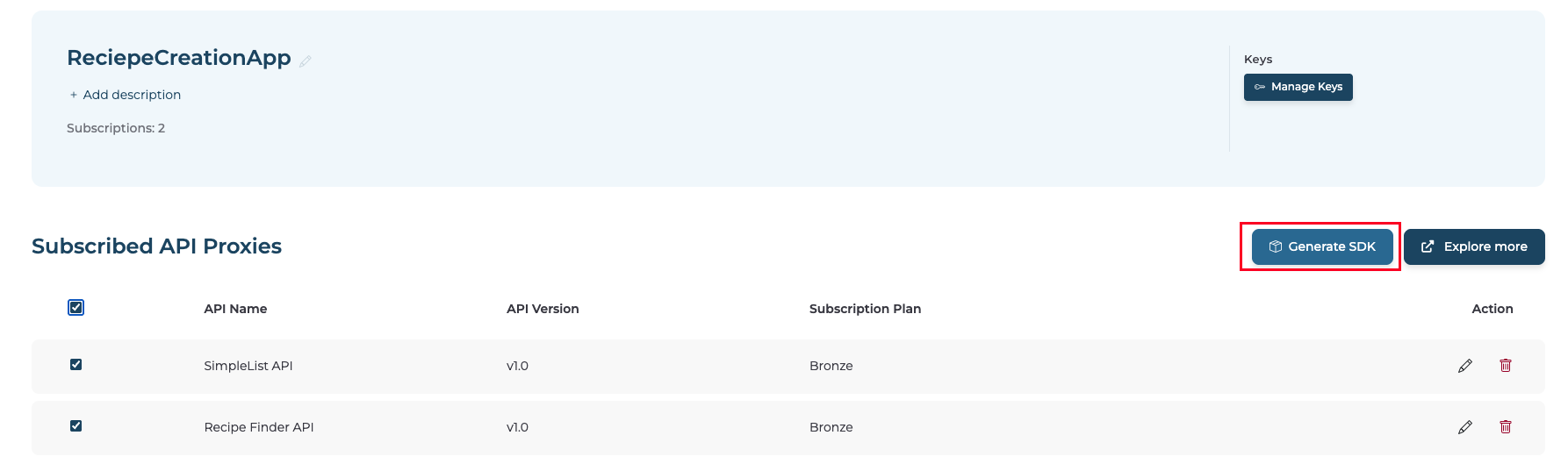
Choose which subscribed APIs to include in your SDK by clicking on the checkbox.
Note
The Generate SDK button activates when you select at least one API.
Step 2: Generate SDK
-
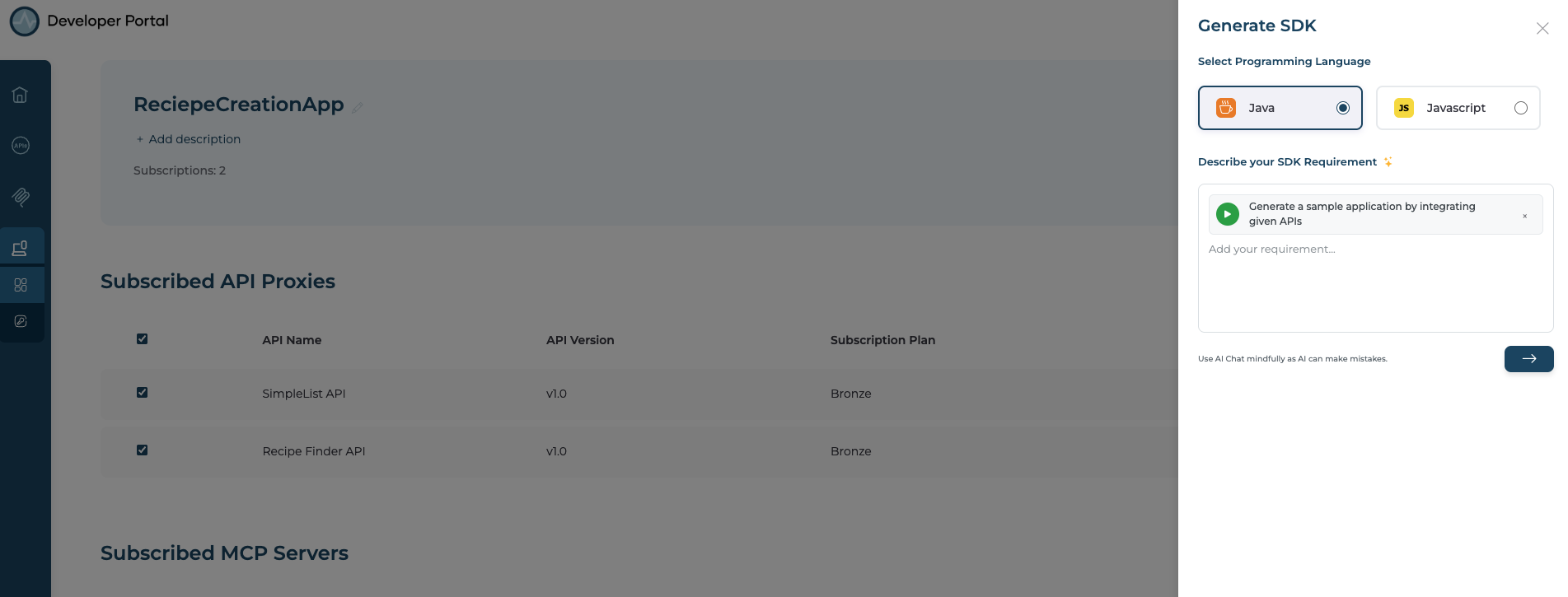
Click Generate SDK to open the SDK generation panel.
-
Select your preferred programming language from the dropdown (for example, Java).
-
Describe your use case to help the AI generate relevant code.
Example:
Create an application that allows users to view and manage their orders using the Order API and the User API.
-
Click the Arrow button to start generation.
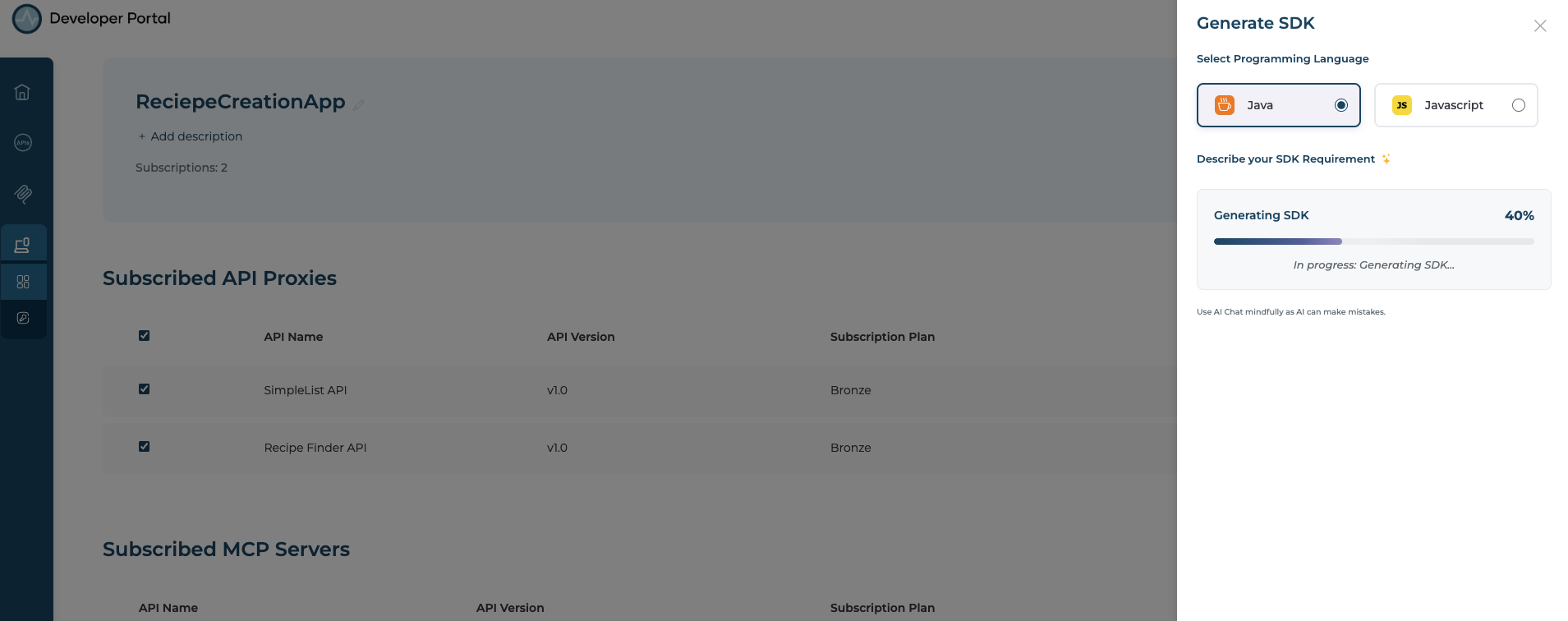
- The system generates your custom SDK and sample code. When complete, it downloads a ZIP file containing both the SDK and sample application code.
Important Notes
- AI services require valid configuration and active subscriptions.
- Generated code serves as a starting point and may need customization.
- This uses Anthropic Claude 3.5 Sonnet (20241022) for application code generation.